
Digital inclusion
Dyslexia and the web: how to make reading easier for everyone?
According to the WHO, 8 to 12% of the world’s population is affected by reading disorders. Despite this very high figure, the daily difficulties of people with dyslexia are often poorly understood. How can dyslexia lead to exclusion? What solutions are there to support people with reading difficulties, including on the web?
What is dyslexia?
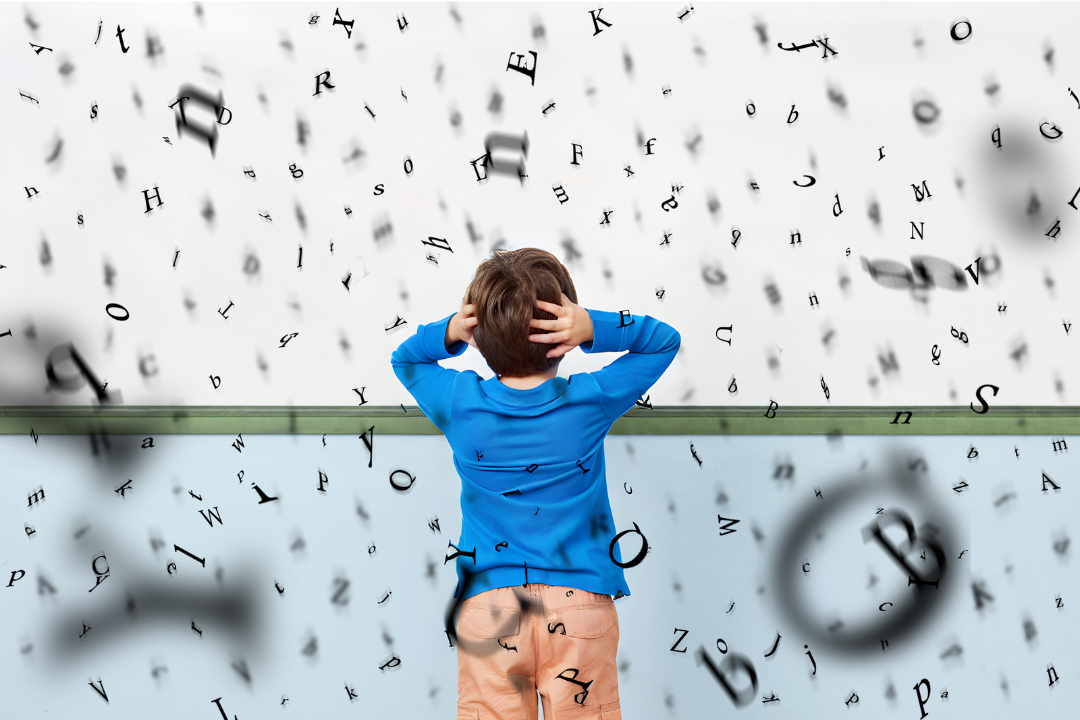
Dyslexia is a learning disorder that affects reading and writing. It shows up as errors in identifying letters, confusion between sounds and/or letter shapes, letter reversals or added letters.
Dyslexia not only brings challenges in learning to read and write, but also affects social and professional integration. The consequences of dyslexia on daily life can be significant, ranging from difficulties with social and professional inclusion to a higher risk of failing at school.
Yet solutions exist to support people with dyslexia. Wider integration of these solutions in educational, professional and digital spaces could greatly help and raise public awareness of this condition, leading to better inclusion and understanding of the challenges faced by people with dyslexia.
At school, for example, dyslexia is a major obstacle to pupils’ learning. Pupils with dyslexia often face reading problems, struggling to identify words and interpret texts, which makes them read more slowly than others. These obstacles can therefore undermine their confidence and self-image, leading to less involvement in class and fostering a feeling of exclusion.
Dyslexia can also make browsing the web particularly trying for adults, as texts and interfaces are often poorly suited to their needs.
How can we make the web more comfortable for people with dyslexia?
Here are 5 solutions to make browsing the web easier for people with dyslexia:
1. Use a suitable font
One of the main challenges for people with dyslexia when browsing the internet is the difficulty of reading text on screen.
Traditional fonts can be problematic because of their complexity and layout.
It is therefore recommended to use sans-serif fonts (for example: OpenDyslexic, Andika, Sylexiad Sans) or classic fonts such as Arial or Comic Sans.
Other practical tips (also shown in this testimony from Aurélie Renard-Vignelles):
- use a minimum font size of 12 or 14 pt
- align text to the left
- do not justify text
- space out the text with a line spacing of at least 1.5
For better legibility, also use colours that contrast with the background and avoid colours that are too similar.
2. Use text-to-speech tools
Some text-to-speech tools turn texts into audio files, offering an alternative to visual reading.
Users can listen to online content rather than read it, or be supported while reading, making comprehension easier and reducing reading fatigue.
3. Use text simplification tools
There are online tools that simplify complex texts by reducing them to their simplest form.
They use algorithms to remove complex sentences, difficult words and heavy grammatical structures.
Tools such as Rewordify or Simplish use algorithms to remove complex sentences, difficult words and heavy grammatical structures, giving people with dyslexia access to more accessible and understandable content.
4. Use the FACIL’iti solution
FACIL’iti is an innovative solution that adapts the display of websites and intranets to users’ visual, motor and cognitive needs, for personalised browsing.
The solution offers several features depending on visual, cognitive, motor and/or temporary needs, to improve user comfort.
These features can enable people with dyslexia to adapt the display of text on websites through settings they can personalise themselves according to their preferences.
Among the features offered by FACIL’iti, you can change the text size, the spacing between letters and words, the line spacing, the font, as well as highlighting and colouring letters to make reading easier.
💡 Try it live with FACIL’iti!
Click on the red “adapt the display” button (on the right of this page) and personalise the display of the text by going to “custom filter”.
5. Use the MYdys app

At FACIL’iti, we have also developed an app that allows children and adults alike to read, translate and listen to all kinds of texts from a simple photo.
With the MYdys app, you can take a photo of any text from a book, a magazine, a computer screen, a downloaded file or elsewhere, and adapt the text to your needs through customisable settings.
With MYdys, you can:
- Change the size of the characters and the font
- Space out words and lines
- Get help reading the letters and numbers most commonly confused or reversed (e.g. “9” and “6”, “d” and “b”)
- Translate into more than 21 languages (with development under way to offer more than 50 additional languages)
- Change the colours to increase contrast and legibility (tip: use the colour gradient that guides the eye of people with dyslexia through the text, making reading faster and more efficient).
- Generate text-to-speech audio of the text
Using MYdys at school can make the classroom more comfortable and make learning easier for pupils who face difficulties, together with their teachers.
The app can also be used for personal purposes at home to help children and adults with dyslexia in everyday activities.
MYdys can also be downloaded for free on iOS and Android, and is compatible with Chromebook.
Want to find out more?
Discover the solutions and tools designed to help people with dyslexia on our website and find out how we are committed to making the digital world more inclusive!
Article sources: ac-normandie.fr / facil-iti.fr / WHO